Introduction
This repository is a template for publishing a static book‑style website with almost no coding required. You write your book in Markdown, then push it to the repository. The rest—building the site and deploying it to the web—is handled automatically.
You don’t need to know HTML, CSS, JavaScript, or DevOps. If you can write a document and use Git a little, you can publish a book site.
Purpose
This project’s purpose is to make it easy for anyone to publish a book‑style website, including:
- Students writing notes or tutorials.
- Authors publishing short books or technical guides.
- Educators sharing course material.
- Anyone who wants a clean, readable website without writing code.
The template is opinionated but simple: you focus on the content, and the template handles tooling, building, and deployment.
What you need to know
You don’t need to be a developer to use this repository. The only things you need are:
- Markdown: Think of it like a simple way to format text (headings, lists, links, etc.). All your book content lives in Markdown files (such as SUMMARY.md and chapter files).
- Helpful resources:
Note: most of the mdbook configuration is already done as part of the template. Authors just need to follow mdbook's format as described above.
- Git / GitHub: A tool for version control and collaboration.
- You only need to:
- Create or clone a repository.
- Make changes to Markdown files.
- Commit and push those changes.
- Quick intro: About GitHub and Git.
- You only need to:
Once you push your Markdown content to the repository, the GitHub‑based workflow automatically:
- Builds your book with mdbook.
- Deploys the generated site to GitHub Pages so it’s publicly accessible.
Setup
To start writing and deploying your book‑site, you only need a few configurations. If you can create a GitHub repository and run a simple script, you’re good to go.
Repository setup
To use the infrastructure, follow these steps:
-
Create a new repository from the this template.
- Helpful doc: Creating a repository from a template.
-
Enable GitHub Pages for the new repository.
- In your new repo, go to Settings → Pages.
- Set the publishing source to GitHub Actions (you don’t need to touch branches like gh‑pages yourself).
- Helpful doc: Publishing with a custom GitHub Actions workflow.
-
After this, the GitHub‑Actions workflow will automatically build your book and deploy it whenever you push changes to
main. -
Optionally, edit the description of the repository to always have easier access to the deployed page's url.
- In your new repo, go to About → Settings → Tick
Use your GitHub Pages website→Save Changes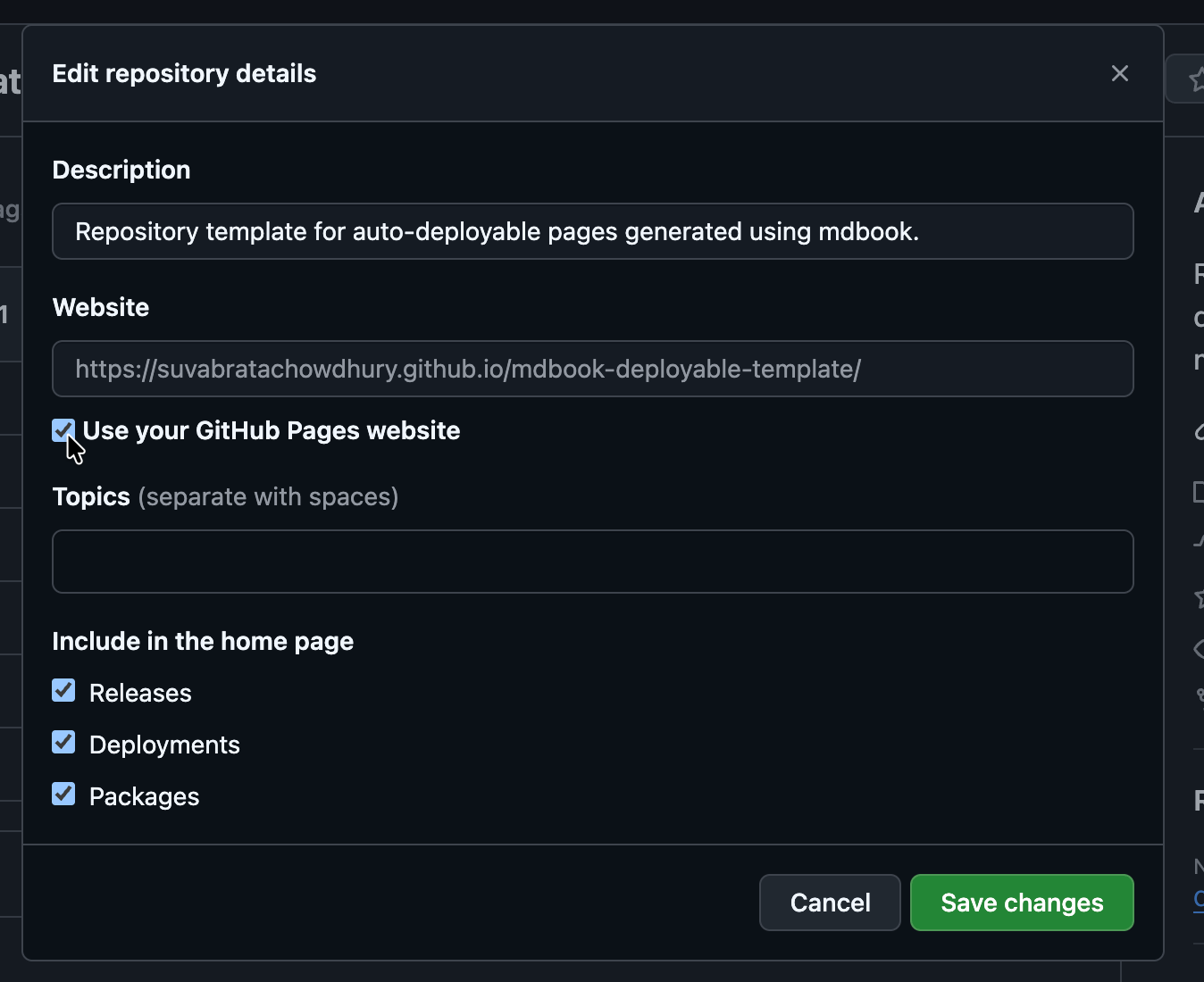
- In your new repo, go to About → Settings → Tick
Local environment setup
Before publishing online, you should write your content and test the site locally. You only need to do the following steps once per machine.
- Install the mdbook CLI.
- On most systems this is just a single command (e.g., via cargo or a platform‑specific package manager).
- Ensure git is installed. If not, follow this Installation guide.
- Clone the repository you created in the Repository setup step:
It is recommended to switch to a new branch before making changes:git clone https://github.com/YOUR-USERNAME/YOUR-REPO.git cd YOUR-REPO
See Git feature branch workflow for good practices.git checkout -b init - Run the
init.shscript to set up the local environment:chmod +x init.sh ./init.shNote for Windows users: The
init.shscript may not work directly on Windows. You can run it inside WSL (Windows Subsystem for Linux). A native Windows script will be added in the near future. - Push the setup changes to your repo:
git add . git commit -m "init" git push- If this is the first push, Git may report that the upstream branch is not set. The error message will include the command to set it (e.g.,
git push --set-upstream origin init). - If you used a branch other than
main(for example,init), you should open a pull request againstmainfor the setup changes to take effect.
- If this is the first push, Git may report that the upstream branch is not set. The error message will include the command to set it (e.g.,
Deployment Flow
A GitHub Actions job is configured to deploy the site after every push to the main branch.
Suggested flow
- Write your Markdown files and test the generated site locally.
- Use
mdbook serveto preview the site; it live‑reloads the page so changes appear immediately.
- Use
- When you are satisfied with your changes, push them to the main branch.
- The GitHub Actions workflow will start automatically. After a few minutes, the site will be deployed to GitHub Pages and publicly available.
Note: It is recommended to work on a separate branch for ongoing edits and keep main as stable as possible. See About branches for more details.
Manual deployment
Even though the workflow is designed to deploy automatically, there may be cases where you want to trigger a deployment manually.
- Go to the
Actionstab in your repository. - Select the workflow named
Deploy mdBook site to Pagesand clickRun workflow. - See Manually running a workflow for more details.
Note: For usage and billing information, see GitHub Actions billing.