Setup
To start writing and deploying your book‑site, you only need a few configurations. If you can create a GitHub repository and run a simple script, you’re good to go.
Repository setup
To use the infrastructure, follow these steps:
-
Create a new repository from the this template.
- Helpful doc: Creating a repository from a template.
-
Enable GitHub Pages for the new repository.
- In your new repo, go to Settings → Pages.
- Set the publishing source to GitHub Actions (you don’t need to touch branches like gh‑pages yourself).
- Helpful doc: Publishing with a custom GitHub Actions workflow.
-
After this, the GitHub‑Actions workflow will automatically build your book and deploy it whenever you push changes to
main. -
Optionally, edit the description of the repository to always have easier access to the deployed page's url.
- In your new repo, go to About → Settings → Tick
Use your GitHub Pages website→Save Changes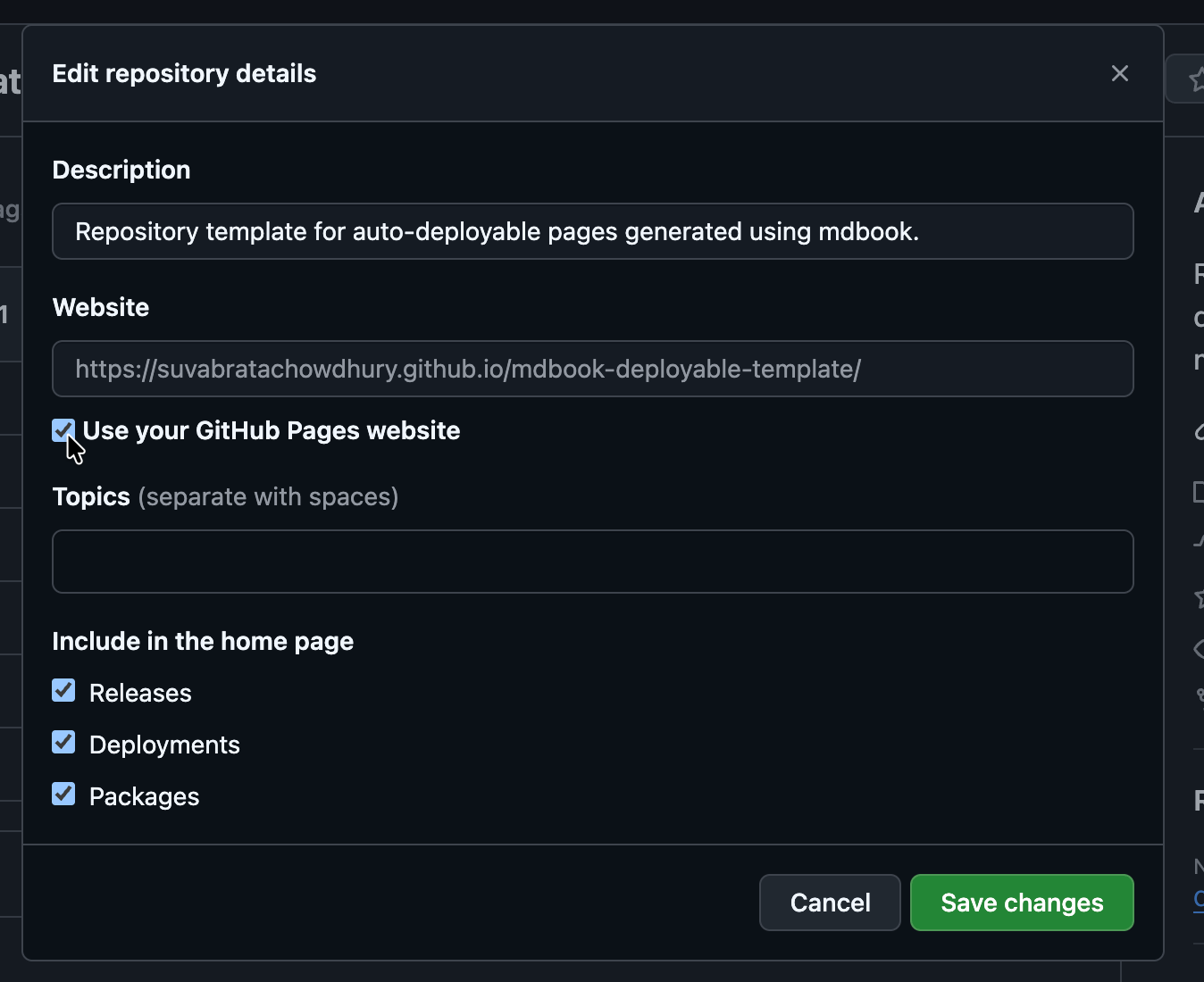
- In your new repo, go to About → Settings → Tick
Local environment setup
Before publishing online, you should write your content and test the site locally. You only need to do the following steps once per machine.
- Install the mdbook CLI.
- On most systems this is just a single command (e.g., via cargo or a platform‑specific package manager).
- Ensure git is installed. If not, follow this Installation guide.
- Clone the repository you created in the Repository setup step:
It is recommended to switch to a new branch before making changes:git clone https://github.com/YOUR-USERNAME/YOUR-REPO.git cd YOUR-REPO
See Git feature branch workflow for good practices.git checkout -b init - Run the
init.shscript to set up the local environment:chmod +x init.sh ./init.shNote for Windows users: The
init.shscript may not work directly on Windows. You can run it inside WSL (Windows Subsystem for Linux). A native Windows script will be added in the near future. - Push the setup changes to your repo:
git add . git commit -m "init" git push- If this is the first push, Git may report that the upstream branch is not set. The error message will include the command to set it (e.g.,
git push --set-upstream origin init). - If you used a branch other than
main(for example,init), you should open a pull request againstmainfor the setup changes to take effect.
- If this is the first push, Git may report that the upstream branch is not set. The error message will include the command to set it (e.g.,